
Digital passes for individuals, families and businesses
Everything you own
gets its own
digital pass.
For personal use, NavoPass brings documents, warranties, repairs and maintenance together. Businesses also use the same asset passes for customer management, job scheduling, team assignments and traceable service or work reports – across industries.
Privacy by design Set up in seconds Browser-based & QR-ready
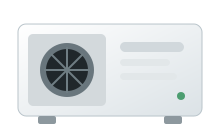
TECHNICAL ASSET
Example system
Serial numberNP-2026-784512StatusEverything is up to date›
WorkspaceTeam · 3 members›
HOW IT WORKS
Your digital pass in 4 simple steps
1
Create an item
Create your pass in seconds and add the most important information.
2
Manage history & deadlines
Upload documents, record maintenance and keep an eye on service and warranty deadlines.
3
Share the QR code
Your pass is linked to a QR code and can be opened directly in any browser.
4
Use it together
Organise passes on your own, with your household or team, and control access with roles.
FOR EVERYTHING THAT MATTERS
One pass for every item you own

FOR INDIVIDUALS & FAMILIES
Stay organised. At home and on the go.
- ✓Keep important documents and warranties safely in one place
- ✓Stay on top of maintenance and warranty deadlines
- ✓Use the QR code for repairs, handovers or resale
- ✓Manage passes together with your family in one household
FOR BUSINESSES, SERVICE & FIELD TEAMS
From asset pass to completed service report.
- ✓Organise customers, locations, devices, vehicles and systems digitally
- ✓Plan service, inspection and field jobs with appointments and team assignments
- ✓Use weekly scheduling with job durations and conflict prevention
- ✓Document work, materials, readings, test results and customer confirmations
- ✓Export service reports as PDFs and share them securely with customers
- ✓Manage QR stickers, service access and traceable asset histories

NAVOPASS BUSINESS ACROSS INDUSTRIES
One connected service workflow, not isolated QR passes
1
Organise customers & assets
Assign asset passes to customers and locations and manage equipment, systems, vehicles, machines, documents and QR codes in one place.
2
Plan service jobs
Plan appointments and duration, set priorities, assign staff or service technicians and automatically prevent scheduling conflicts.
3
Document work on site
Record work, materials, readings, test results, findings, recommendations, working time and customer confirmation during the visit.
4
Complete & send the report
Create a traceable service report with a printable PDF view and send the customer a protected report link.
From your first pass to a complete digital service workflow.
Start with NavoPass and choose the plan that fits your household, team or business – from trades and maintenance to inspections, vehicle service, equipment service and field operations.
FREQUENTLY ASKED QUESTIONS
The essentials about NavoPass
What is a digital asset pass?
A digital asset pass brings together master data, documents, warranties, deadlines and the complete service history of an item.
Can I use NavoPass for free?
Yes. The Free plan has no recurring fee. Additional passes, shared workspaces and business features are available on paid plans.
Do recipients need an app to open a QR pass?
No. Shared asset passes and reports can be opened directly in a modern browser through a QR code or link.
Which businesses can use NavoPass?
NavoPass supports trades, maintenance, inspections, technical service, equipment and vehicle service, and other field operations.